19 minutes is barely enough time to finish lunch. 18 days is enough time for an intruder to learn who approves invoices, which supplier gets paid on Fridays, and whose messages nobody questions.
Eye Security puts numbers to that difference in its State of Business Email Compromise 2026 report (opens in new tab). In the cases it investigated, median BEC dwell time was 19 minutes with managed detection and response (MDR), compared with 18 days without it. Eye investigated these incidents in 2025. They raise a question for security teams in 2026: how long could someone use a stolen account before you noticed?
BEC accounted for 81% of the firm’s investigated incidents, and 79% of its BEC cases involved MFA bypass. In many of those cases, the attacker didn’t need to defeat the password or MFA challenge. The user completed the sign-in, and the attacker stole the resulting session.
A dashboard showing “MFA enabled” can’t tell you whether the person using that session is still the account owner.
What the report actually measures
Eye Security investigated 343 cybersecurity incidents between January and December 2025. Of those, 279 were classified as business email compromise, roughly 81%. The dataset combines incidents in MDR-managed customer environments with external incident response engagements.
About 84% of all investigated cases came from customers with MDR. That gives the firm much more visibility into one group than the other. The groups also differ in size and in how incidents reach investigators, so this isn’t a controlled comparison of otherwise identical companies. Keep that in mind when applying the findings to your own organization.
The report also separates incident type from entry vector: phishing links were identified in about 63% of BEC cases, while the initial cause was unknown in another 21%. That distinction helps responders decide what evidence they need to reconstruct the compromise.
For investigators, the missing history can be frustrating. They may know an intruder accessed a mailbox but can't establish exactly how that access began. When logs are available and retained, responders are more likely to trace the intrusion back to the first suspicious sign-in.
Start with the accounts where that uncertainty could be costly: finance approvers, shared inboxes, privileged users, and anyone who regularly handles sensitive requests from outside the company.
What can happen in 18 days?
Dwell time measures how long an attacker remains undetected after compromise. It doesn’t tell you how much money was stolen, and it isn’t interchangeable with the time needed to contain an incident.
An intruder with weeks of access has time to read old exchanges and wait for a useful opening. A supplier’s next invoice may be days away; an attacker who hasn’t been detected can wait for it. The report doesn’t show that every long intrusion followed this pattern, but the extra time creates opportunities a short intrusion may never offer.
Think about a finance mailbox. Its contents can explain the company’s approval habits better than an organizational chart: who handles exceptions, what a supplier’s invoice looks like, and which executive is traveling. Ordinary correspondence can become research material.
Detection is the opening move
An alert still needs an owner, an investigation, and authority to act. An organization can spot suspicious activity quickly and then lose another hour deciding who can revoke access. The clock doesn’t pause while the ticket changes queues.
Measure the stages separately:
- Detection: When did the organization identify suspicious access or behavior?
- Investigation: When did someone establish what happened and which identities were affected?
- Containment: When did the organization interrupt the attacker’s access, and how did it verify that?
- Business protection: When did finance or affected partners receive actionable information?
Keeping those timestamps distinct makes the handoffs visible. A reassuring detection average won’t hide a slow containment process as easily.
How a successful MFA challenge can still end in compromise
The report says MFA was bypassed in 79% of investigated BEC cases, commonly through techniques such as session hijacking and adversary-in-the-middle phishing. That finding applies only to cases where the account was compromised. It doesn’t mean 79% of all MFA-protected users are vulnerable, or that MFA fails 79% of the time.
In an AiTM attack, a malicious site relays authentication between the victim and the real service. The user can enter a real password and complete a real MFA challenge. The attacker then captures session material representing that authenticated interaction.
With credential harvesting, the attacker obtains a secret used to sign in. A stolen session can save them that step because the service has already authenticated the user. That’s why investigators need to examine the activity after authentication, even when the sign-in record shows a successful MFA challenge.
An AiTM phishing attempt typically follows this sequence:
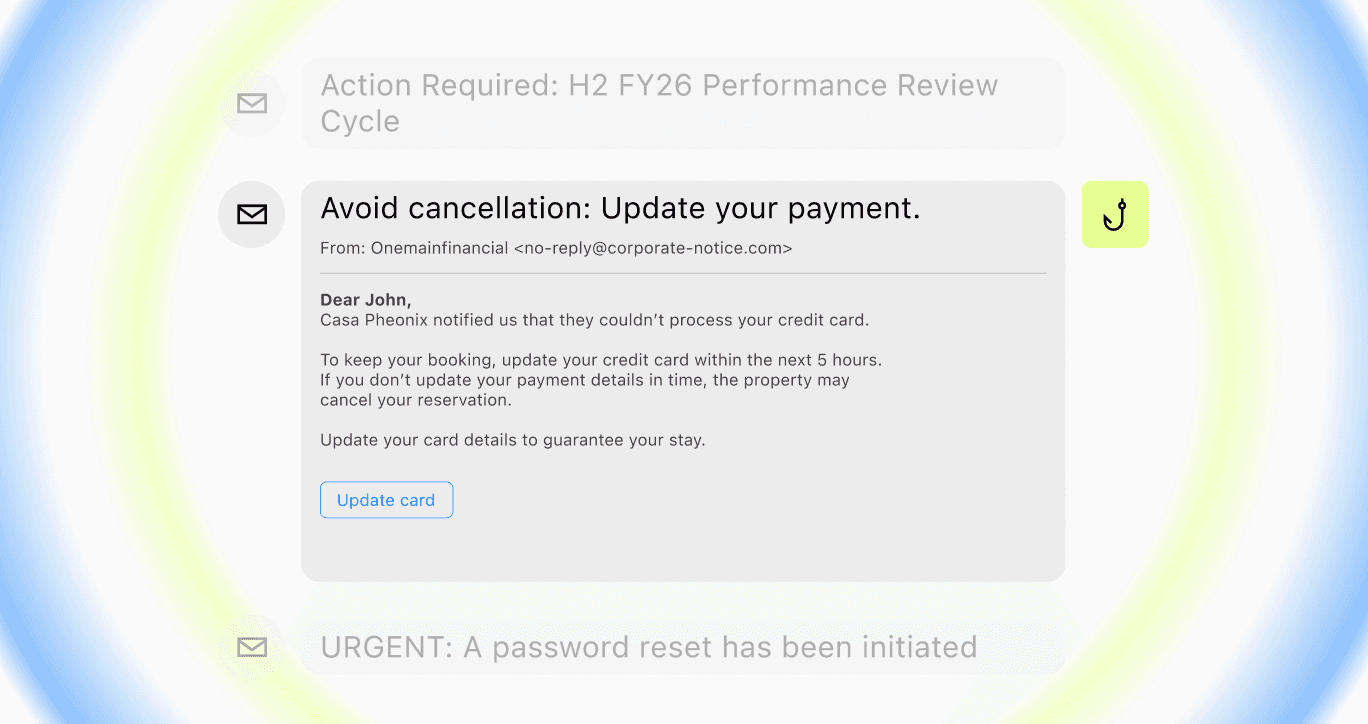
- A credible lure sends the user to a sign-in flow. A document share or account notice supplies a plausible reason to authenticate.
- The malicious intermediary relays the interaction. The legitimate service can still perform authentication checks.
- Session material is captured. Depending on the service and protections, an attacker may replay it to obtain access.
- Authenticated activity becomes the detection problem. Defenders need to distinguish the account owner’s work from an intruder using that identity.
Don’t close an investigation just because the log shows a successful MFA challenge. Check what the session was used to access and whether the activity fits the account owner’s work.
Which MFA methods resist phishing?
Phishing-resistant methods such as FIDO2 security keys and passkeys reduce exposure to authentication relay attacks. Microsoft’s identity protection guidance (opens in new tab) also describes session and token protections, including device binding where supported.
Check which authentication methods your users actually rely on, including the exceptions. Passwordless authentication covers different approaches; the label alone doesn’t establish phishing resistance. Review recovery options and device protections too. For example, if a user loses a security key, the fallback procedure deserves the same scrutiny as everyday sign-in.
Why Microsoft 365 dominates this dataset
Over 99% of the report’s incidents occurred in Microsoft 365 environments. Eye Security explicitly connects that concentration to the platform’s prevalence within its analyzed customer base.
For companies running Microsoft 365, the finding deserves attention. Email conversations, shared documents, and collaboration accounts sit close together, which makes access valuable to an intruder. But this sample can’t tell us how Microsoft 365 compares with other platforms; it largely reflects the environments Eye Security was called in to investigate.
Review sign-in events alongside what happened in the mailbox. A new forwarding rule may have an innocent explanation. An unexpected sign-in followed by that rule and a suspicious payment exchange warrants a closer look. Reading each event in isolation can hide the connection.
Include shared mailboxes, delegates, and connected applications in the investigation. After containing the suspected account, check whether another account or access permission could let the intruder continue. Don’t make a password reset the last item on the checklist.
Build a response that fits the clock
Pick an account whose compromise would be expensive and rehearse what happens when an alert arrives. Follow the investigation far enough to see who can suspend access, who checks the mailbox, and who tells finance to hold a payment. That exercise will expose delays a contact list can’t.
Give responders a usable first move
Name the people who can interrupt access or approve a payment hold, including their out-of-hours backups. Then put them in the same exercise. Check whether they can reach one another and carry out the required action. A name in the response plan helps little if the person lacks permission to act.
For a suspected BEC incident, the plan should cover five areas:
- Establish scope. Preserve relevant evidence and identify affected accounts, access paths, messages, and business conversations.
- Interrupt unauthorized access. Use the identity platform’s supported containment actions, including session revocation where appropriate. Don’t assume a password change proves every session is gone.
- Check persistence and changes. Review suspicious mailbox rules, delegates, authentication changes, and application access relevant to the incident.
- Protect the transaction. Have finance independently verify pending payment changes and contact banking partners promptly if money may have moved.
- Check the result. Confirm that access is interrupted, look for continued activity, and record what remains uncertain.
Use Microsoft’s token protection guidance (opens in new tab) to review the identity controls available in your environment. Then test the operational steps around them. If access is revoked, who checks the result? If a related account is discovered, who can extend the investigation? Assign owners to those decisions before an incident occurs.
An employee who reports a suspicious login prompt may be giving responders their first clue. Tell people where to report and what to do after they’ve already signed in. The instructions should work for someone who’s worried about having made a mistake.
A report should reach phishing triage while responders can still use it. Measure how long that takes, and tell employees where to send concerns after they’ve entered credentials or completed a suspicious sign-in. People who think they’ve made a mistake need a clear next step, not a reason to keep quiet.
Follow the lure outside the tenant
The stolen session is one stage of the operation. The attacker may also rely on a cloned website, a lookalike domain, a message, or a fake support identity to persuade the user to sign in.
That broader social engineering attack chain creates additional points of intervention. Internal containment addresses the access already obtained. Identifying and disrupting malicious external assets can reduce the chance that the same infrastructure reaches another employee, partner, or customer.
Doppel’s Threat Graph connects related attacker infrastructure, while brand protection supports investigating and taking down impersonation assets. In an identity-abuse investigation, that context can help responders find additional phishing pages to check while they contain the compromised account.
Record the account response and the site-removal work separately. A site can disappear while a stolen session remains usable; responders still need to check the access before calling the incident contained. Track related pages that remain reachable so the next employee doesn’t encounter the same lure elsewhere.
What leaders should ask about identity abuse
“Attackers are getting sophisticated” doesn’t give leadership much to work with. Ask which accounts remain exposed, where response gets delayed, and what the team has tested.
The SOC may recognize suspicious activity without having permission to disable an identity. IT may suspend the account without knowing a payment is pending. Bring those owners into the discussion with finance so leadership can see where one team’s action depends on another.
Three questions can make the discussion concrete:
- Where is authentication still phishable? Identify high-impact users, workflows, recovery routes, and exceptions.
- Where does response authority stall? Test the actual escalation path, including an evening or weekend handoff.
- What proves the fix works? Retest the behavior or control that failed, with an owner and a review date.
Assign the unresolved items to people who can fix them, then check back on the results. The next report to leadership should say whether the fallback method changed, the weekend escalation worked, or the missed detection fired on retest.
Give borrowed access a shorter shelf life
The hard part comes after a successful sign-in, when the account appears to work normally. Eye Security’s findings put a clock on how long that situation can persist before someone investigates. Ask what your team would notice and who would be able to interrupt the access.
Track the answer in stages: detection, investigation, access interruption, and the checks that follow. If a payment or supplier conversation is involved, include the finance response. That’s how the 19-minute headline becomes something your organization can measure and improve.
Want to see what a phishing investigation looks like beyond the compromised inbox? Request a Doppel demo to explore how connected domains and impersonation sites can help your team trace the campaign.