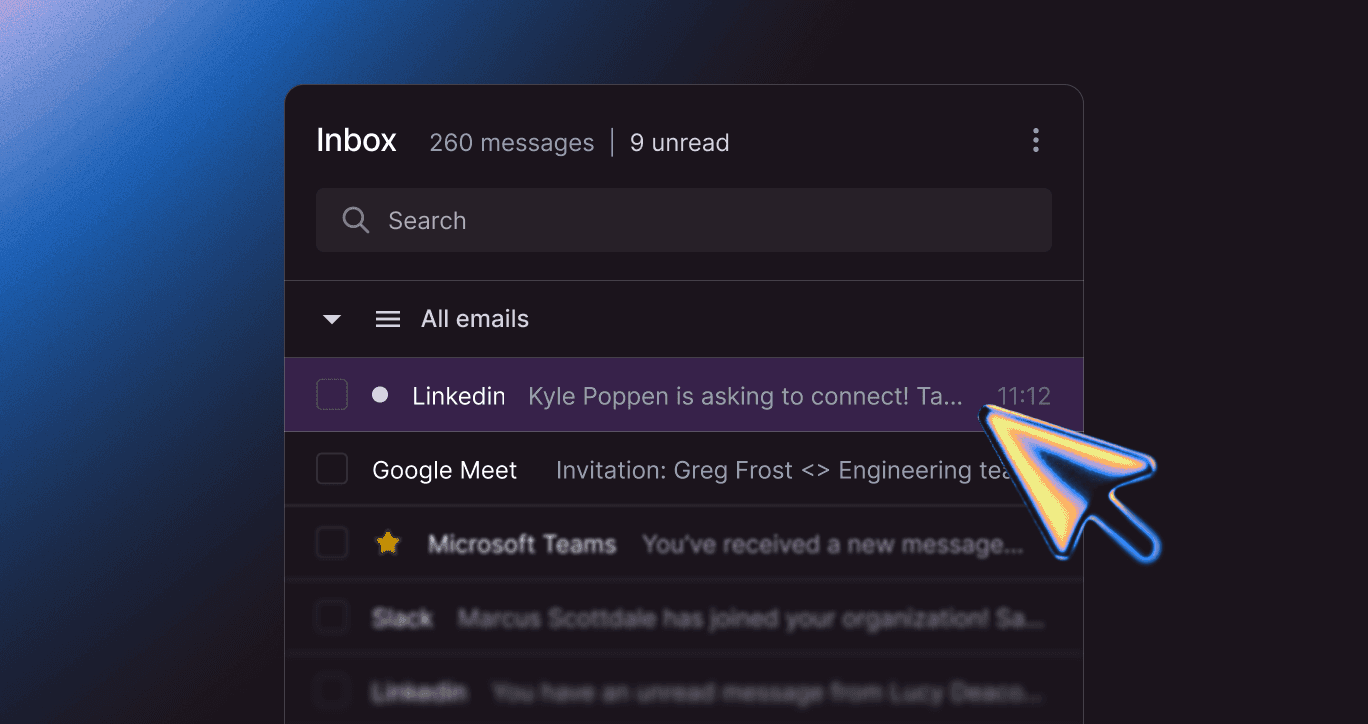
An employee hovers over a link in their inbox. The URL points to seemingly benign cloud-hosted infrastructure, often services like workers.dev rather than an obvious credential-harvesting phishing domain. After clicking it, they land on a convincing Microsoft 365-themed portal displaying a Microsoft-generated device verification code and instructions to authenticate through Microsoft’s legitimate login.microsoftonline.com/device workflow.
But they never entered their password, and their phone never buzzed with a multi-factor authentication (MFA) prompt.
This is the scenario that the FBI is warning about (opens in new tab).
In a May 2026 alert (opens in new tab), the FBI announced a highly sophisticated new threat that upends the most trusted cybersecurity rules: Kali365.
Here’s a look at how the Kali365 phishing kit operates, and what security teams have to do to defend against it.
What is Kali365? The New Phishing-as-a-Service Kit Explained
Kali365 is an emerging phishing-as-a-service (PhaaS) (opens in new tab) platform designed to quietly obtain Microsoft 365 access tokens, entirely bypassing MFA protocols. The deception is flawless, the infrastructure is heavily automated, and the legacy secure email gateways (SEGs) (opens in new tab) are helpless against it.
Just a few years ago, pulling off a phishing campaign took serious technical chops. Attackers had to register sketchy domains, configure proxy servers, write malicious code, and design convincing fake login portals from scratch.
Phishing-as-a-service obliterated the barrier to entry.
Operating exactly like a legitimate software-as-a-service (SaaS) startup, developers build malicious infrastructure and lease it out for a fee. ATHR surfaced in April 2026, and now Kali365 is the latest heavy hitter in this space.
Distributed primarily through Telegram channels, Kali365 is a turnkey platform for corporate account takeover.
Any attacker can pay a flat fee to gain access to a terrifying arsenal. This phishing kit includes AI-generated phishing lures that perfectly mimic corporate jargon, automated campaign templates that dodge spam filters, and real-time dashboards tracking exactly who clicked what.
Kali365 automates the theft of OAuth tokens (opens in new tab). It effectively hands an advanced persistent threat (APT) (opens in new tab) toolkit to anyone with an internet connection, allowing them to launch devastating social engineering attacks with the click of a button.
How the Kali365 Attack Works
Kali365’s true danger lies in weaponizing the infrastructure employees are taught to trust.
The attacker doesn’t bother building a fake, typo-riddled login page. Instead, they abuse Microsoft’s own device code flow (opens in new tab), the legitimate OAuth method typically used to log in to a smart TV or conference display.
Here’s the four-step heist Kali365 executes to hijack an account, broken down from the FBI’s technical alert:
- Flawless Lure: The attacker sends a highly targeted phishing email that impersonates a trusted document-sharing service. It looks like a pixel-perfect SharePoint notification regarding a sensitive file. The message urges the recipient to review the document and provides a link to “securely access” it.
- Device Code Relay: After clicking the link, the victim is redirected to an attacker-controlled phishing portal that silently initiates a legitimate Microsoft Device Code authentication request using the attacker’s own application registration. The portal then displays a real Microsoft-generated device code along with instructions to authenticate via Microsoft’s official verification page.
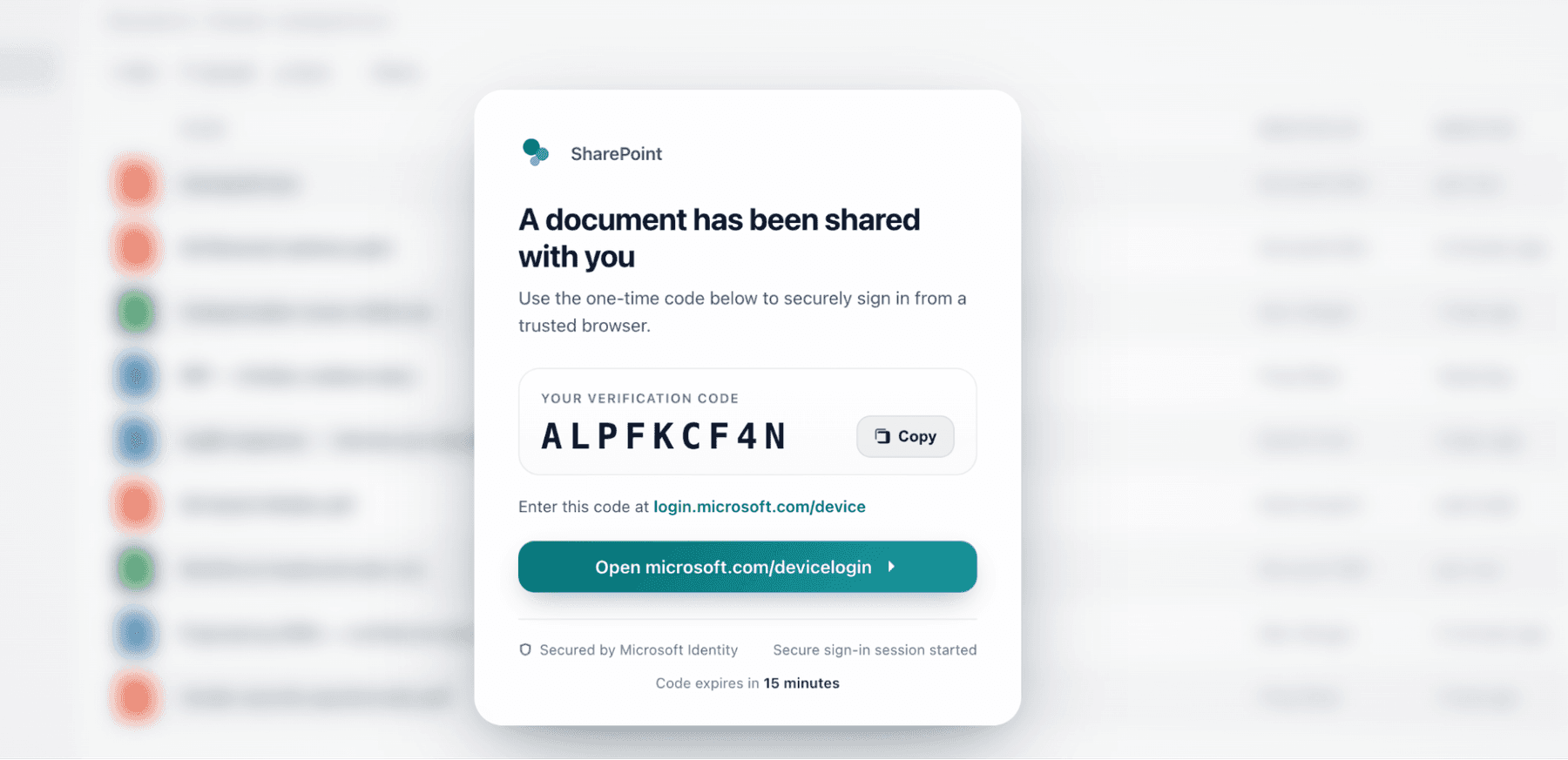
- Blind Authorization: Eager to read the sensitive file, the victim navigates to the real Microsoft 365 login page and manually enters the provided device code. Because the interaction occurs entirely on Microsoft-owned infrastructure, their browser shows a secure padlock. No domain anomalies. No red flags.
- Silent Token Theft: Once the victim completes authentication on Microsoft’s legitimate portal, Microsoft issues an OAuth access token tied to the attacker-initiated device authorization session. Because the attacker’s rogue application initiated the flow and is actively polling for completion, the tokens are immediately retrieved and stored by the Kali365 infrastructure.
- Invisible Persistence: The attacker now has persistent, authenticated access to the victim’s entire Microsoft 365 environment. Without ever stealing the password itself, They can dig through Outlook, eavesdrop on Teams chats, and exfiltrate files from OneDrive
Because the attacker holds the active session token, they never need the password. They’ll never trigger an MFA push notification, either.
Kali365 ushers attackers right through an organization’s digital front door.
Why Your Secure Email Gateway is Blind to Kali365
Kali365 is engineered to humiliate the traditional security stack.
Secure email gateways routinely miss the initial lure because the emails often originate from previously compromised, legitimate accounts. There aren’t any malicious attachments to scan, and the attack ultimately directs victims to legitimate Microsoft authentication infrastructure, reducing many of the traditional phishing indicators defenders rely on.
Legacy security awareness training (SAT) backfires here, too. Employees get trained to verify the URL before entering a code, but during a Kali365 attack, the employee looks at their address bar, sees microsoft.com, and proceeds with confidence.
| | Legacy Phishing Attacks | Kali365 OAuth Hijack |
Attacker’s Goal | Stealing the user’s plaintext password | Stealing the active OAuth access token |
Login Environment | A spoofed domain designed to look like a corporate portal | The legitimate, secure Microsoft device authentication infrastructure |
MFA Effectiveness | Typically blocks the attacker after a password is stolen | Completely bypassed because the stolen token implies MFA was already satisfied |
Technical Skill Required | High; requires setting up custom hosting and harvesting scripts | Low; a phishing kit handles all backend infrastructure |
User Experience | User often realizes a page looks ‘off’ or broken | User experiences a seamless, error-free authentication flow |
Every security leader needs to understand the FBI’s alert. Relying on MFA as your silver bullet won’t work against phishing kits like Kali365.
Here’s what you need to do today:
- Restrict Device Code Flow: Create a conditional access policy within your Microsoft Entra ID environment to block the device code flow for all users globally.
- Create Strict Exceptions: If your organization relies on specific hardware—like shared conference room displays or particular IoT devices—that require the device code flow, leave limited exceptions only for those strictly required scenarios.
- Audit Existing Usage: Before you drop a blanket block across the company, run an audit on your existing device code flow usage. Identify any legitimate dependencies so you don't accidentally break critical business operations or lock out emergency access accounts.
- Restrict Authentication State Transfers: Configure Microsoft Entra ID policies to limit the transfer of authentication states between devices, such as from desktops to mobile devices. This helps reduce the utility and persistence of stolen session or OAuth tokens.
- Report the Impact: If you uncover a confirmed Kali365 compromise in your environment, instantly revoke all active session tokens for the affected user. Then, report the incident to the Internet Crime Complaint Center (IC3) (opens in new tab).
Stop OAuth Hijacks Before They Start
Kali365’s explosive rise proves that cybercriminals iterate faster than most security teams and their legacy vendors.
When an attack occurs entirely on legitimate Microsoft infrastructure and effortlessly bypasses your MFA, static compliance videos, and legacy email filters are useless.
You can’t wait for the FBI to issue an alert to find out your defenses are outdated. Organizations need an active, continuous approach to human risk management (HRM).
Doppel’s AI-native social engineering defense platform moves far beyond those predictable, outdated phishing templates. Training and simulations prepare your workforce for the exact, sophisticated tactics they’re facing in the wild right now.
Through proactive red teaming and continuous, multi-channel simulations, Doppel trains your employees to spot complex OAuth lures and device code hijacking attempts before a real attacker strikes. Doppel builds the critical behavioral muscle memory required to pause and verify unexpected authentication requests, even when the URL says microsoft.com.
The threat landscape just leveled up. The attackers are subscribing to advanced toolkits. Now, it’s time for your organization's defense to do the same.
Is your workforce prepared to spot an OAuth token hijack? Get a demo to see how Doppel’s AI-native platform protects your organization against advanced PhaaS threats, like Kali365.