One of the fastest ways to lose a customer’s trust is to let criminals impersonate your brand in public, then respond as if it were an internal IT ticket. Impersonation attacks move fast, and your brand gets judged in real time.
That’s why response plans that work “inside the network” often fall apart here. The incident is not a compromised laptop. It’s attacker infrastructure that is disposable, multi-channel, and designed to convert victims.
What is an impersonation attack response plan?
An impersonation attack response plan is a documented, rehearsed playbook for detecting, validating, prioritizing, and disrupting brand impersonation across external channels like domains, social, paid ads, email, SMS, and voice. It exists to shorten time-to-action, not to produce a perfect report. It also spells out ownership, evidence thresholds, and who is authorized to trigger takedowns and customer comms without waiting for a meeting.
A good plan answers three questions fast: Is it real? How much harm is it doing? What do we do in the next 30 minutes? Here is what we mean in practical terms.
1) Is it real?
You are trying to confirm intent and victim flow. Fast checks that actually settle it:
- Is the asset live and reachable from typical consumer paths (not just via a direct URL)?
- Does it use your brand elements in a way that implies affiliation (logo, product names, support language, login prompts)?
- What is the conversion step? Credential capture, payment capture, call diversion, app install, OTP harvesting, or data collection?
- Does it route victims through redirects, short links, QR codes, or multiple pages?
- Do you have corroboration (customer reports, support tickets, ad sightings, email samples, screenshots)?
What “real” looks like in one sentence: A customer can reach it, and the flow is designed to extract something valuable or route them into a scam process.
2) How much harm is it doing?
You are deciding urgency based on impact and reach, using evidence you can gather quickly.
Use a four-factor impersonation impact scoring model:
- Impact type: credentials, payments, account takeover enablement, or sensitive data. Payments and OTP harvesting often rise to the top. For some brands, enterprise credential theft (SSO, admin portals) is just as urgent, even without payments.
- Reach: it’s being promoted (ads), distributed (SMS/email), or discoverable (search). A dead-end page with no distribution is different from a paid ad campaign.
- Victim signals: volume of reports, chargebacks, spikes in calls, new fraud patterns, or screenshots from multiple sources.
- Operational resilience: it has obvious backups (domain variants, mirrored pages, multiple numbers). More resilience means you need a broader takedown strategy.
A blunt rule: If victims are being pushed to pay, call, or enter credentials, treat it as active harm even if you only have a few reports.
3) What do we do in the next 30 minutes?
This is where most teams stall. The plan should force motion with a checklist that can run even if leadership is unavailable. Think of this as the goal for “we are in motion,” not “everything is already down.” Your first 30 minutes should look like this:
Minute 0 to 10. Confirm and capture.
- Assign an incident owner.
- Validate the victim flow using safe methods.
- Capture evidence: screenshots, URLs, redirect chains, domain details, phone numbers, ad IDs (if present), timestamps.
Minutes 10 to 20. Contain and coordinate.
- Notify the right internal partners (support, fraud, security, comms). Provide exact indicators, not a vague heads-up.
- Create a single incident thread or ticket with evidence and an initial severity label.
- Decide if you need customer-facing guidance now (only if reach is high or harm is confirmed).
Minutes 20 to 30. Disrupt.
- Launch takedown actions for the primary infrastructure (domain, hosting, social profile, ad, app listing, number). Submit the reports with supporting evidence, use the correct escalation path for each channel, and capture the case IDs to send follow-ups quickly.
- Block distribution where you can (reported links in messaging, reported ads, internal email filters if relevant).
- Start clustering related assets so the takedown does not end with one removed domain and five replacements still live.
What “done” looks like at 30 minutes: You have validated intent, assigned severity, alerted the internal teams who will absorb the fallout, and initiated the takedown and disruption path with evidence attached. If your current process can’t do that in 30 minutes on a weekday afternoon, it probably won’t do it at 2 a.m. during a campaign spike.
Why impersonation attack response plans fail outside the network
Most response plans fail because ownership is unclear and evidence is scattered. When the attack lives on third-party infrastructure, internal teams argue over whether it’s a security, fraud, brand, legal, or communications issue, and attackers keep converting victims.
The fix is a plan that treats the external attacker infrastructure as the incident.
How fast do you need to respond?
You should aim to respond in hours, not days, because the infrastructure is disposable and the distribution is automated. Some takedowns still depend on channel timelines, so the goal is to disrupt first, then remove fully.
In financial services and many other industry incidents, attackers commonly rotate domains and social handles, spin up lookalike support pages, and use AI-generated content to scale lures across channels. They also blend tactics, such as sending an SMS that drives a victim to a fake site that prompts them to call a “support” number.
Speed comes from two things: pre-approved decisions (who can do what) and a repeatable workflow (what happens first, second, third).
What should trigger your response plan?
Your plan should trigger on signals that indicate real customer or employee harm. Common triggers we see:
- A lookalike domain that is live and collecting credentials or payments
- A spoofed support number tied to a fake help page
- Fake social profiles running ads or directing users to off-platform links
- A phishing kit or template that matches your brand elements
- A surge in customer complaints, chargebacks, or helpdesk reports tied to a specific lure
How do you triage impersonation incidents without drowning in noise?
You triage by scoring impact and reach, then mapping the infrastructure so you don’t play whack-a-mole. If you want to pressure-test whether your monitoring and triage steps are actually catching real exposure, external digital risk testing helps quantify what is visible and what is being missed. Impact tells you what the attacker is trying to steal or trigger. Reach tells you how many people are being exposed right now, and how fast that number is growing. Then you map the infrastructure behind the lure, domains, redirects, hosting, phone numbers, profiles, and ad accounts, so you can target the shared dependencies instead of burning time on one disposable asset at a time. The goal is to take out the operation, not just the most obvious landing page.
Use a simple impact model that brand and security accept
Start with four labels that anyone can apply quickly, keeping the team moving while evidence gets validated:
- Active harm: credentials or payments are being collected, or victims are being routed to a call center.
- High intent: the infrastructure is live and brand-faithful, but the conversion step has not yet been confirmed.
- Amplification risk: ads or mass messaging are driving traffic.
- Low confidence: suspicious asset, unclear intent.
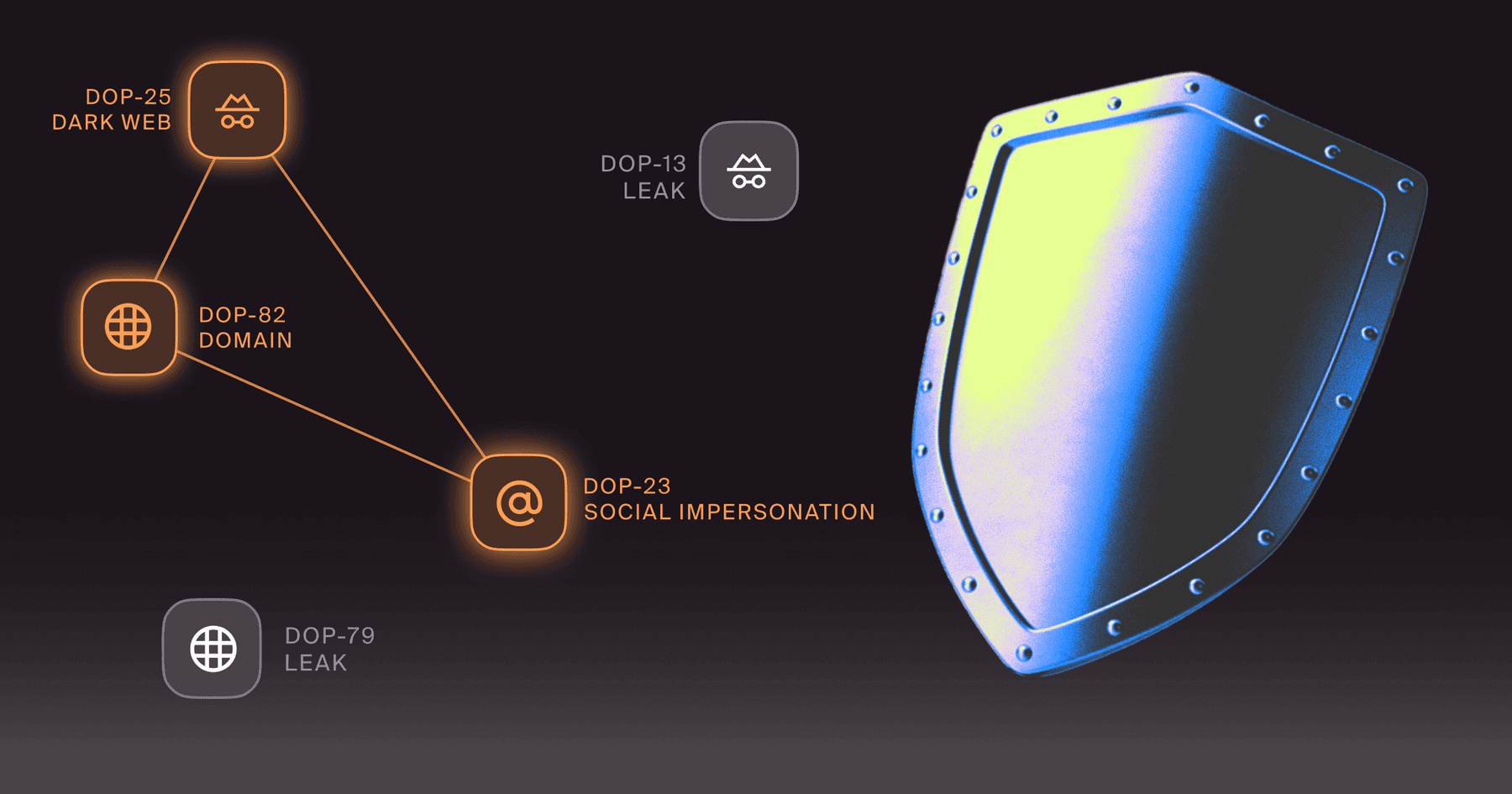
If you take down one domain while the attacker has five alternates, you buy yourself a short break, only to relive the incident tomorrow. Clustering means we connect domains, pages, numbers, profiles, and content patterns into a single incident view, allowing teams to prioritize what actually shuts down the operation.
What roles belong in the plan, and what decisions must be pre-approved?
The plan works when decisions have already been made. People get overloaded. Process slows under stress. Pre-approved decision rights keep the response moving. In an impersonation incident, the most significant delays usually come from waiting for permission. If you pre-approve who can initiate takedowns, who can notify support and fraud, and what evidence threshold triggers each step, you cut hours of debate down to minutes of action.
Define one incident owner and three accountable partners
We recommend a single owner for execution, plus accountable partners who don’t block action:
- Incident owner (often security operations, fraud ops, or brand protection). Runs the playbook.
- Legal. Approves requests, templates, and escalation paths for takedown and evidence handling.
- Comms or CX lead. Coordinates customer messaging when needed.
- IT or IAM lead (optional but useful). Handles internal containment, like password reset advisories or conditional access tweaks when employee targeting is involved.
Pre-approve “go” decisions so you can act in minutes
Write down what doesn’t require a meeting:
- When you can initiate a takedown request
- When you can escalate to a higher urgency track
- When you can notify support teams to watch for specific indicators
- When you can post customer warnings, and who signs off
If your plan relies on a weekly legal sync, it’s not a response plan. It’s a delay plan.
How do you validate an impersonation attack quickly and safely?
You validate by confirming the victim flow while protecting your team and preserving evidence, the type of work Social Engineering Defense (SED) is meant to support. It forces a campaign view of the scam, not a single page screenshot. That means you aren’t just judging the page’s design. You’re tracing what happens next, like where the form submits, where redirects land, and whether the scam routes victims to a phone number, payment prompt, or credential capture. Use test accounts or non-production credentials you can burn. Never use real customer credentials or complete real payments.
Validate the conversion path, not just the asset
A screenshot of a lookalike page is not enough. You need to confirm what happens next:
- Does it collect credentials or payment details
- Does it push a victim to call a number
- Does it redirect to a real login page after harvesting credentials
- Does it use QR codes, shortened links, or app installs
Do this using safe browsing methods and controlled accounts. Capture the full flow to prove intent during takedown. Good threat monitoring gets you leads. Validation is turning those leads into incidents you can act on.
Preserve evidence as you will need it later
Even if your goal is disruption, preserve what matters:
- Full-page captures, including form fields and hosted scripts
- Domain and certificate details
- Redirect chains and final destinations
- Phone numbers and call scripts, if applicable
- Timestamps, ads, and targeting context if it’s promoted
Preserving the evidence protects you when stakeholders ask, “How do we know it was real,” and it helps you track repeat actors. Over time, this evidence becomes external cyber threat intelligence (CTI) that you can reuse. It helps you spot repeat patterns faster and justify escalations when stakeholders push back.
How do you eliminate attacker infrastructure rapidly across channels?
You eliminate attacker infrastructure by running parallel tracks. Disrupt distribution, remove infrastructure, and reduce re-entry. Distribution disruption is about cutting off the paths victims are using right now, like ads, social posts, short links, and messaging lures. Infrastructure removal targets the underlying assets that make the scam possible, like domains, hosting, spoofed numbers, and impersonation profiles. Reducing re-entry means clustering the related assets, watching for fast re-spins, and updating detections and workflows so the same actor can’t relaunch the campaign five minutes later under a new wrapper. If the campaign has a web hub, external scam website monitoring helps you track rotating domains, clones, and redirect chains that keep the fraud alive.
Containment is what you do while takedowns are in flight:
- Alert customer support and fraud teams with exact lures and indicators
- Add temporary warnings to help content if the scam is widespread
- Update detection rules for inbound reports, like subject lines, URLs, or phone numbers
- If employees are targeted, coordinate internal awareness without turning it into generic training; when employee targeting is part of the campaign, human risk management helps you respond with targeted interventions tied to real attacker behavior, not generic annual training.
Run a takedown track that is built for speed
Takedown success improves when requests are consistent, evidence-backed, and routed correctly for each channel. Domains, hosting providers, social platforms, and app ecosystems all have different requirements and timelines.
Our approach is to package the correct evidence, route requests through the appropriate channels, and apply pressure to the infrastructure that actually enables the scam. Success is causing the criminal operation to fail. That usually means distribution is disrupted first (ads paused, posts removed, links blocked), then core infrastructure gets removed or degraded (domains suspended, numbers blocked, profiles disabled).
How do you measure whether your response plan is working?
You measure it by time, impact, and repeatability.
Key metrics for measuring an impersonation attack response plan:
- Time to validate: from detection to confirmed victim flow
- Time to disrupt: from confirmation to meaningful harm reduction (distribution cut, asset removed, number blocked)
- Time to full takedown: when the primary infrastructure is offline
- Time to internal alignment: when support, fraud, and comms have the same indicators and guidance
- False positive rate: how often “urgent” detections turn out to be noise
- Victim exposure indicators: support tickets, chargebacks, reported credential abuse, call volume spikes
- Repeat actor rate: whether the same patterns return and how quickly you recognize them
If you want the plan to get better over time, track “what slowed us down” after each incident. Then fix the workflow.
How do you keep the plan current as attacker tactics change?
You keep your plan current by treating it like an operational product. Update it after incidents, run short tabletop exercises, and refresh channel-specific steps quarterly or when major platform policies and reporting paths change.
The biggest drift we see is teams updating “training” content while leaving channel response steps stale. Your plan should include updated steps for:
- Social platform impersonation and paid ad abuse
- Messaging channels and short-link infrastructure
- Deepfake AI voice and callback scams that route victims off the web
- Fake app listings and fake support tooling
- Security awareness training (SAT) updates tied to real campaigns. Refresh SAT after incidents so it reflects current lures, channels, and scam scripts.
When your plan is current, your team stops debating basics and starts executing.
Where Doppel supports the response plan
In practice, response speed comes down to two things: whether you can see the full attacker footprint, and whether you can act on it without rebuilding context every time. Doppel supports that by monitoring for brand-facing impersonation across channels, clustering related infrastructure into a single incident view (domains, pages, profiles, numbers, ads, and content patterns), and packaging the evidence teams need to validate impact and trigger takedowns quickly. Instead of treating each domain or profile as a separate ticket, the goal is to collapse the campaign into one working set, run disruption steps in parallel, and shorten the time from “we found it” to “it is no longer reaching victims.”
Key Takeaways
- A real impersonation attack response plan is built for external infrastructure, fast decisions, and repeatable workflows.
- Triage by impact and reach, then cluster infrastructure so you disrupt operations, not single assets.
- Validate the victim flow safely, preserve evidence, and run containment and takedown tracks in parallel.
- Measure time-to-validate and time-to-disrupt. Improve the workflow after every incident.
Ready to pressure-test your impersonation attack response plan?
If you’re still handling impersonation incidents through scattered inboxes and ad hoc escalation, you’re paying a response tax every week. A quick gut-check: if you can’t name your incident owner, your evidence checklist, and your takedown escalation path for each channel, your plan isn't executable yet. If you want, we can show you how we operationalize detection, clustering, and rapid infrastructure elimination so your team can move faster with less noise.